
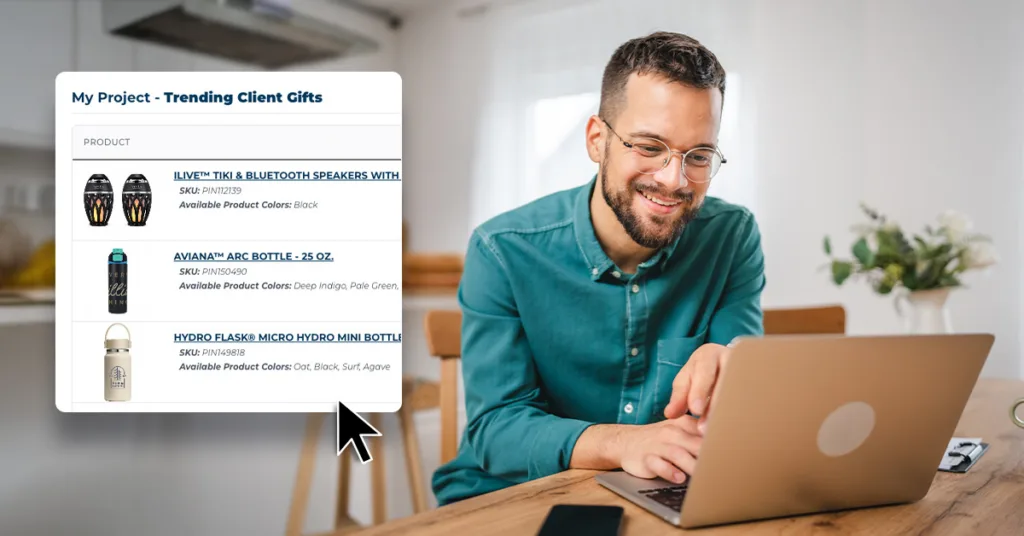
Stop Losing Great Swag Ideas. Start Saving Them.
If you’ve ever tried to plan a promo order with 12 tabs open, a few bookmarked products, and a Slack message you swear had the link…you’re not alone.
Managing merch ideas isn’t always the hard part. Keeping track of them is.
Between browsing for inspiration, comparing options, and getting input from your team, it’s easy for good ideas to get lost in the shuffle. And when it comes time to reorder something you’ve used before? That usually means digging through old emails, invoices, or asking around just to track it down.
That’s exactly why we built My Projects within our Pinnacle Promotions website. It’s a simpler way to save, organize, and revisit your promotional product ideas without the chaos.
A Smarter Way to Save, Organize, and Share
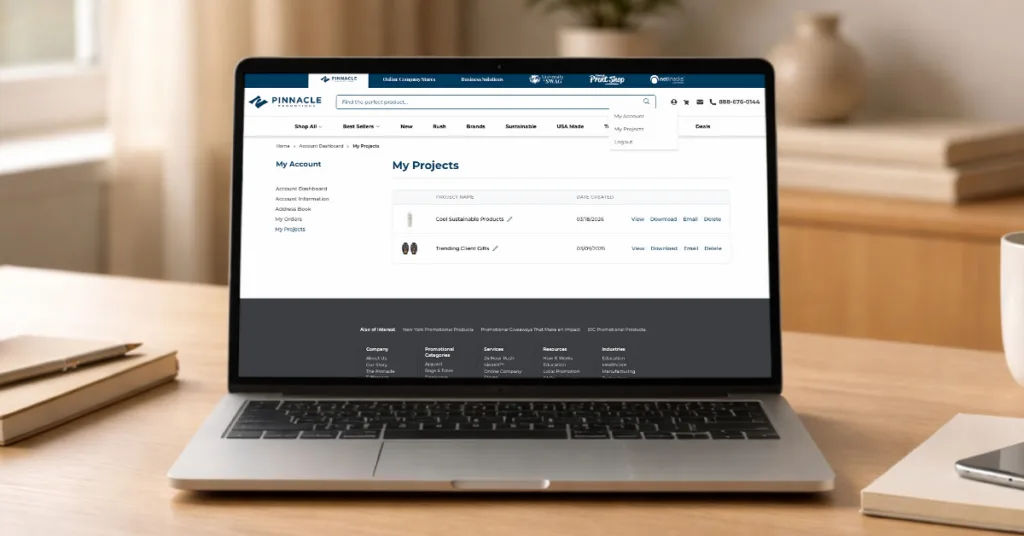
My Projects is your space to collect and manage promotional products as you browse our website.
At a glance, it works like a favorites tool, but it’s designed to go beyond that. Instead of just saving items, you can organize them into projects, compare options side by side, and share them with others when it’s time to make a decision.
Everything lives in your account dashboard, so whether you’re actively planning or just collecting ideas for later, your projects are always easy to find and ready when you need them.
See Something You Like? Just Click the Heart
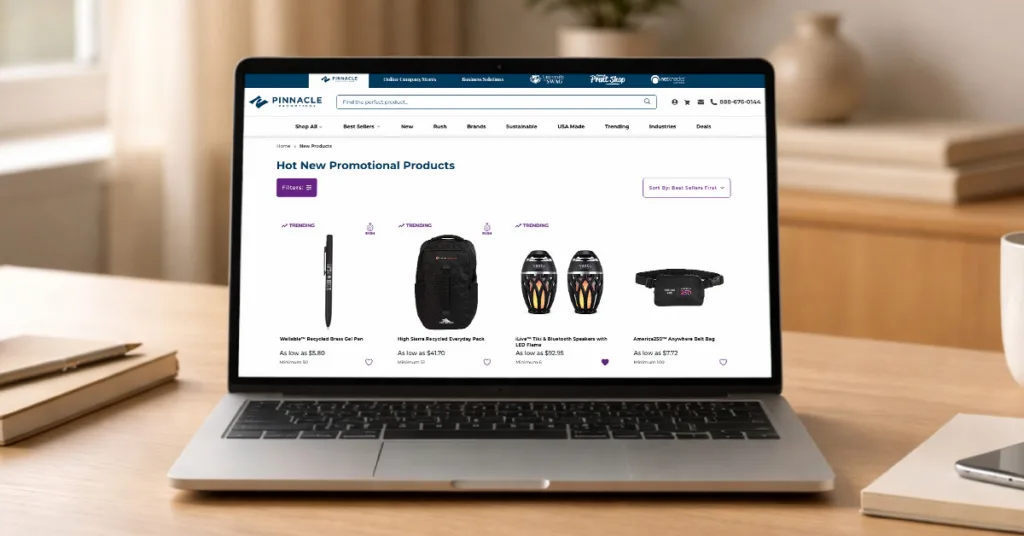
As you browse, you’ll notice a heart icon on every product.
Clicking the heart lets you instantly save that item to a project. If you’re not already signed in, you’ll be prompted to log in or create an account, so your saved ideas stay exactly where you left them.
It’s a small action, but it makes a big difference.
Instead of relying on memory or juggling a mix of tabs, bookmarks, and screenshots, you can quickly build a collection of products that catch your eye, without interrupting your flow.
No more:
- Screenshotting items to revisit later
- Sending yourself links you won’t remember to open
- Wondering where you saw that one perfect product
Just click, save, and keep browsing.
Organize Ideas by Project, Not Chaos
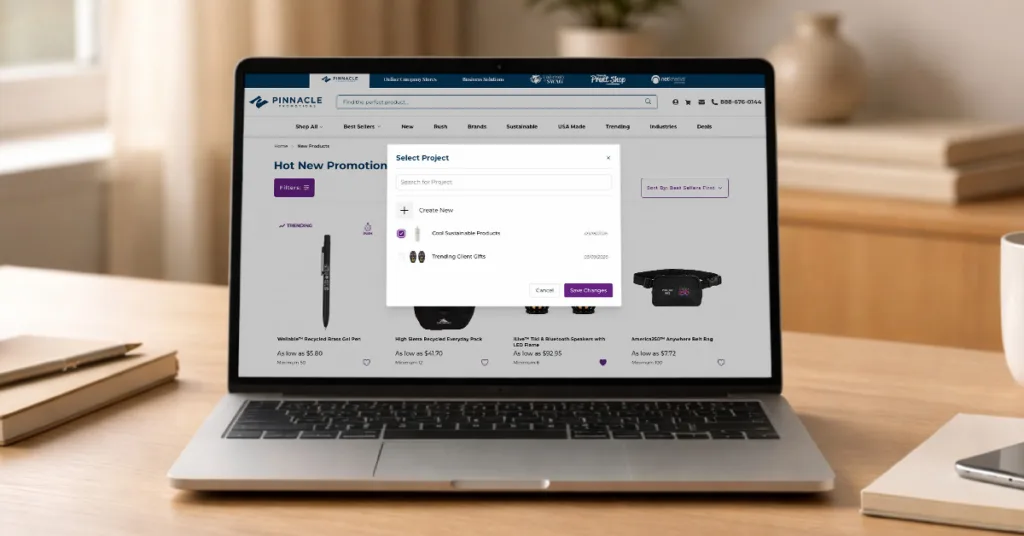
Promo planning rarely happens on a one-project-at-a-time basis.
You might be working on an upcoming event, sourcing onboarding kits, planning a seasonal campaign, or refreshing your client gifting strategy, all at the same time. Without a system, those ideas can easily blur together.
With My Projects, you can create dedicated folders for each initiative, making it easier to keep everything organized and focused.
For example, you might create projects for:
- Trade shows or upcoming events
- Employee onboarding or recognition programs
- Seasonal or campaign-based merch
- Client gifts or internal use items
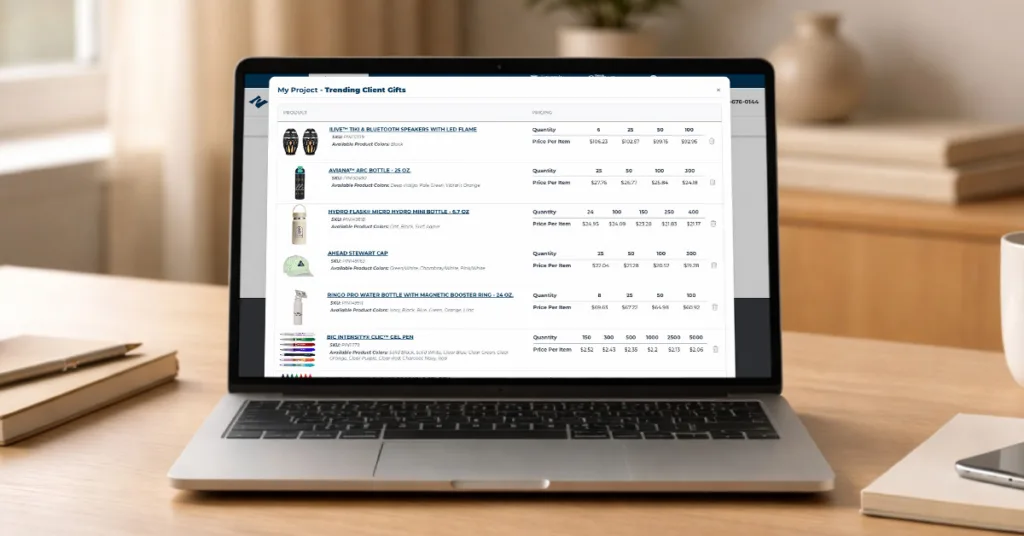
Each saved product automatically includes key details like the product name, image, SKU, pricing, available colors and sizes, and a direct link back to the product page. That means when you come back to review your options, everything you need is already there—no extra digging required.
Share, Review, and Keep Things Moving
One of the biggest slowdowns in promo is the time it takes to get feedback and approvals.
Whether you’re collaborating with teammates, looping in leadership, or presenting options to a client, sharing ideas clearly (and quickly) makes all the difference.
My Projects helps streamline that process.
You can:
- Email your project directly to colleagues for input or approval
- Download a clean, presentation-ready PDF to share internally or externally
Instead of piecing together a deck or sending a long list of links, you can present a polished collection of options in just a few clicks. It keeps everyone on the same page and helps move decisions forward faster.
Reorder Without the Extra Work
When you find a product that works, you’ll probably want to use it again.
But reordering isn’t always straightforward, especially if you’re trying to track down the exact item, specs, or pricing from a previous order.
My Projects keeps your saved items and past projects in one place, so you can quickly revisit what you’ve already used and move forward without starting from scratch.
It’s especially helpful when:
- You want to maintain consistency across campaigns
- A past item performed well, and you need to reorder
- You’re working on a tight timeline and don’t want to re-research options
No digging through emails. No second-guessing your choices. Just pick up where you left off.
From Browsing to Ordering, Smoother All Around
When you put it all together, My Projects helps turn scattered ideas into something actionable.
Instead of bouncing between tools and tabs, you can manage everything in one place, from early inspiration to final decision-making.
You can:
- Save products as you browse
- Organize them by campaign, event, or goal
- Share them with your team for feedback
- Revisit and reorder when you’re ready
It’s not just about saving time (though it does that). It’s about making the entire process feel more manageable and a lot less fragmented.
How to Get Started
Getting started is simple:
- Browse products and click the heart icon to save your favorites
- Sign in or create an account to access your projects
- Organize your saved items into projects from your dashboard
- Share, review, or download your project when you’re ready
Pinnacle Makes Promo Easier
Promo should support your work, not slow it down!
Pinnacle Knows Promo. We’re always working to improve our customer experiences. With My Projects, you can be more organized, collaborative with ideas, plan ahead, and move from “just browsing” to placing an order with less friction.
Whether you’re building out your next campaign or revisiting something that already worked, everything you need is right there, ready when you are.